
 Virtual Piano
Play Virtual Piano free in your browser with realistic audio, chord assist, and keyboard controls. Practice melodies and create music online anytime.
Virtual Piano
What is Virtual Piano?
Virtual Piano is a music simulation game created by Aurelie Touchard that transforms your keyboard into a playable musical instrument. The core experience centers on playing melodies and practicing chords directly on a responsive digital piano layout. Unlike complex digital audio workstations, it requires zero setup or musical equipment, running smoothly in any modern web browser on Free Learning System.
Key features
- Realistic acoustic sound: Every key strike triggers clear acoustic tones modeled after a traditional piano.
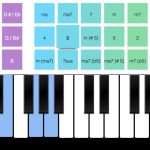
- Chords assist tool: Built-in assistance simplifies playing harmonious chords and multi-note progressions.
- Dual control options: Play using physical keyboard buttons or direct mouse clicks across the keys.
- Fullscreen display: Fullscreen mode provides an expanded layout that keeps the entire instrument in clear view.
- Mobile browser support: The simulation runs on mobile devices in landscape orientation for portable practice.
- Instant browser playback: Enjoy immediate musical practice without downloading software or installing plugins.
How to play
- Open Virtual Piano and expand the game into fullscreen mode for the best view of the instrument.
- Place your fingers along the home row to reach the white keys mapped to natural notes.
- Reach upward to the upper letter keys to strike the black keys for sharps and flats.
- Engage the chords assist feature to hear how multiple notes blend together in harmony.
- Practice short melodic sequences slowly before increasing your tempo on complete songs.
Controls
| Action | Keyboard / mouse |
|---|---|
| Play white keys | Caps Lock, A, S, D, F, G, H, J, K, L, ;, ‘, Left Arrow, or mouse click |
| Play black keys | Q, W, R, T, Y, I, O, [, ], Enter, or mouse click |
| Click individual tiles | Left mouse button |
Chord assistance and audio playback
Virtual Piano translates keyboard input into instant acoustic playback without audible latency. The lower row of letters controls the white keys, while the upper row controls the black keys. The integrated chord assistance system allows players to explore harmonious combinations and understand chord structures without needing formal sheet music training. Switching into fullscreen gives each tile plenty of room, preventing misclicks when transitioning between separate octaves.
Tips and strategy
Anchor your hand position: Keep your left hand anchored near the A, S, and D keys so your fingers naturally align with the white keys.
Maximize the play area: Always switch to fullscreen mode so your clicks stay focused on the piano keys rather than nearby browser controls.
Orient portable screens horizontally: On mobile devices, hold your screen in landscape orientation to reveal the full span of the keyboard.
Explore with chords assist: Use the chord assist tool to experiment with complementary notes and build richer harmonic textures.
Transition from mouse to keyboard: Click keys with the mouse when learning note placements, then switch to typing on the keyboard for quicker tempos.
Similar games
If you enjoy musical browser experiences, try Perfect Piano for structured rhythm gameplay and song rehearsal. For expressive vocal harmonies and creative sound experimentation, check out Blob Opera, another interactive audio simulation.
Developer and history
Virtual Piano was developed by Aurelie Touchard, based on Felipe Fialho’s original keyboard project. The game initially launched in May 2015 and received an update in April 2021 to improve performance and mobile browser responsiveness. It remains a popular casual simulation for learning and playing music online.