
 Paper Block
Arrange overlapping paper squares to match target geometric silhouettes in Paper Block, playable for free directly in your web browser.
Paper Block
What is Paper Block?
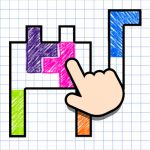
Paper Block is a minimalist spatial logic game where players layer square sheets of paper to recreate specific silhouettes. Each challenge presents a target outline alongside a set of flat pieces that must be positioned in the correct arrangement. Because every sheet is a square, forming intricate shapes requires overlapping the pieces so that higher layers cover portions of the lower sheets. The game runs directly in your web browser on Free Learning System with no downloads required.
Key features
- Layered construction: Sheets overlap on the board, allowing simple square cutouts to form complex composite shapes.
- Extensive puzzle library: The game includes over 100 puzzles that steadily introduce more elaborate silhouettes.
- In-game hints: A dedicated hint function provides guidance whenever a particular arrangement becomes difficult to deduce.
- Clean visual design: The distraction-free paper aesthetic highlights geometry and clear spatial relationships.
- Universal controls: Full support for mouse dragging on desktop systems alongside responsive touch inputs on mobile screens.
How to play
- Review the target outline displayed on the puzzle board.
- Examine the available paper squares to determine their relative sizes.
- Click or tap a square piece to select it from the tray.
- Drag the chosen piece onto the board and align it with the silhouette.
- Stack additional squares on top to conceal unwanted corners and form the required edges.
- Select the hint button if you need assistance identifying the correct stacking order.
Controls
| Action | Mouse | Touch |
|---|---|---|
| Select paper block | Click | Tap |
| Move paper block | Drag | Drag |
| Request hint | Click hint button | Tap hint button |
Layering and overlap order
Success in Paper Block depends on understanding depth and sequence. Because all available elements are squares, you cannot rely on specialized shapes to fill narrow contours. Instead, you must position larger squares as foundational layers and place subsequent pieces across them. The topmost paper hides the boundary underneath, transforming basic four-sided blocks into multi-angled figures. Finding the correct order in which each piece enters the canvas is just as essential as its spatial coordinates.
Tips and strategy
- Build from the base: Start by identifying the widest sections of the outline, as larger pieces almost always sit at the bottom of the stack.
- Trace the interior seams: Look for internal edges where one piece meets another to deduce which square rests on top.
- Check corner alignments: Outer corners reveal the true dimensions of individual squares before they get masked by overlaps.
- Save hints for complex figures: Try placing obvious base blocks on your own and use the hint feature when multiple overlapping arrangements seem possible.
Similar games
If you enjoy spatial puzzles on this site, try these related titles:
- Shape Fold Nature: A relaxing puzzle experience focused on folding connected geometric pieces into place.
- Lines to Fill: A grid-based puzzle challenge where you draw neat paths to cover every square.
- Karakuri: A clever logic game built around mechanical block interactions and spatial planning.
Developer and history
Paper Block was developed by Endless Pixels and released in 2024. The studio is also known for creating the web title Zombie Rush. Paper Block highlights the studio focus on straightforward mechanics paired with thoughtful spatial problem solving.
Great post, thanks for sharing!