
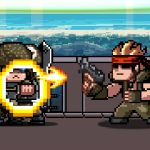
 Metal Guns Fury
Guide an armed soldier through hazardous missions in Metal Guns Fury, a side-scrolling shooter that plays free directly in your web browser.
Metal Guns Fury
What is Metal Guns Fury?
Metal Guns Fury is a side-scrolling shooting title created by Playtouch in 2019 where you direct a soldier through hazardous battlefield missions. Players advance across horizontal terrain, confronting enemy patrols and clearing hostile targets with disciplined gunplay. Rather than relying on complex menus, the gameplay centers on steady positioning, prompt weapon discharge, and dodging oncoming fire. The title runs instantly inside modern desktop and mobile browsers on Free Learning System without any installation or setup.
Key features
- Horizontal scrolling action: Navigate across linear combat environments while tracking oncoming hostile units.
- Infantry gunplay: Eliminate opposing ground forces by timing your shots as targets come into view.
- Dual directional control: Shift position along the ground plane using either A and D or the left and right arrow keys.
- Dedicated shot trigger: Fire your primary firearm whenever you strike the space bar.
- Landscape battlefield orientation: Maintain wide peripheral vision across the horizontal screen layout to detect hazards early.
- Instant browser access: Load the mission directly on desktop or handheld devices without account registration.
How to play
- Start the mission in your browser on Free Learning System to join the combat zone.
- Move your soldier across the map using the D key or the right arrow key.
- Spot oncoming enemy squads before they arrive within their effective firing range.
- Hold your ground and press the space bar to dispatch bullets into enemy targets.
- Step backward using the A key or the left arrow key to evade hostile incoming projectiles.
- Clear all hostile threats along the path to complete the assigned mission objective.
Controls
| Action | Keyboard / mouse |
|---|---|
| Walk left | A or left arrow |
| Walk right | D or right arrow |
| Fire weapon | Space bar |
Combat spacing and movement mechanics
Surviving in Metal Guns Fury depends on steady forward progression rather than rushing through sectors. When traversing the terrain, opposing soldiers appear at regular intervals along the screen. Pushing ahead too quickly causes multiple hostiles to converge simultaneously, creating heavy crossfire that leaves little room to dodge. Moving forward at a measured pace lets you trigger one confrontation at a time, keeping enemy numbers manageable.
Distance management functions as your primary protective tool during combat. Your firearm reaches across the landscape, so engaging opponents from maximum visible range allows you to neutralize threats before they can retaliate. If an enemy soldier launches an attack, stepping back gives you sufficient reaction time to let hostile shots dissipate safely before you return fire.
Tips and strategy
- Initiate attacks from a distance: Begin firing the moment opposing units appear on the screen edge to dismantle them before they shoot.
- Avoid reckless sprinting: Progress along the battlefield in short increments to prevent overwhelming groups of enemies from spawning at once.
- Backpedal when under pressure: Use the backward movement key to open up breathing room whenever hostiles advance toward your position.
- Maintain steady shot cadence: Keep tapping the space bar regularly during skirmishes to prevent hostile soldiers from closing the gap.
- Stay aware of screen boundaries: Keep your fighter near the middle or rear third of the viewport so you always possess space to retreat.
Similar games
- Pixel Shooter: A block-style shooting release featuring fast gun battles and simple movement.
- Farm Clash 3D: A third-person team shooter set across rural landscapes with competitive skirmishes.
- Moon Clash Heroes: A fast-paced team battle shooter offering futuristic combat arenas.
Developer and history
Metal Guns Fury was developed by Playtouch and published in 2019. The release was created to deliver straightforward side-scrolling soldier combat for desktop and mobile web browsers. It runs natively in standard web browsers with no file downloads or plugin requirements.